Stop carrying everything in your head.
DrMedGuide organizes it into a structured clinical reference workspace in seconds.
Generate a complete clinical reference workspace—including differential considerations, medication references, documentation drafts, laboratory information, and research-supported resources—in under 30 seconds from a single case input.
Pick any case from your own experience, dictate it, and see what DrMedGuide produces — then verify it instantly using the built-in links to Google AI, Mayo Clinic and top university medical centers, directly inside the workstation. No separate searching required.
Review the structured reference report and apply your clinical judgment.
For privacy reasons we don’t save anything on our servers
Review the output before you subscribe.
22 sections • Differential Comparison • SOAP Note • Medication References • Sources
No need for long, tedious chats with multiple AI tools.
Describe the problem and get a complete structured report in seconds.
From differential considerations to medication references, dosing tables, laboratory considerations, and research-backed context — structured to reduce hesitation and support sound clinical review.
Instant Clinical Reference
Access
Draft
As a physician, provide information about the patient and their symptoms, and DrMedGuide will generate the following:
Full clinical sections
Multiple differential considerations for the symptoms
Edit any section directly
PDF or Word per section
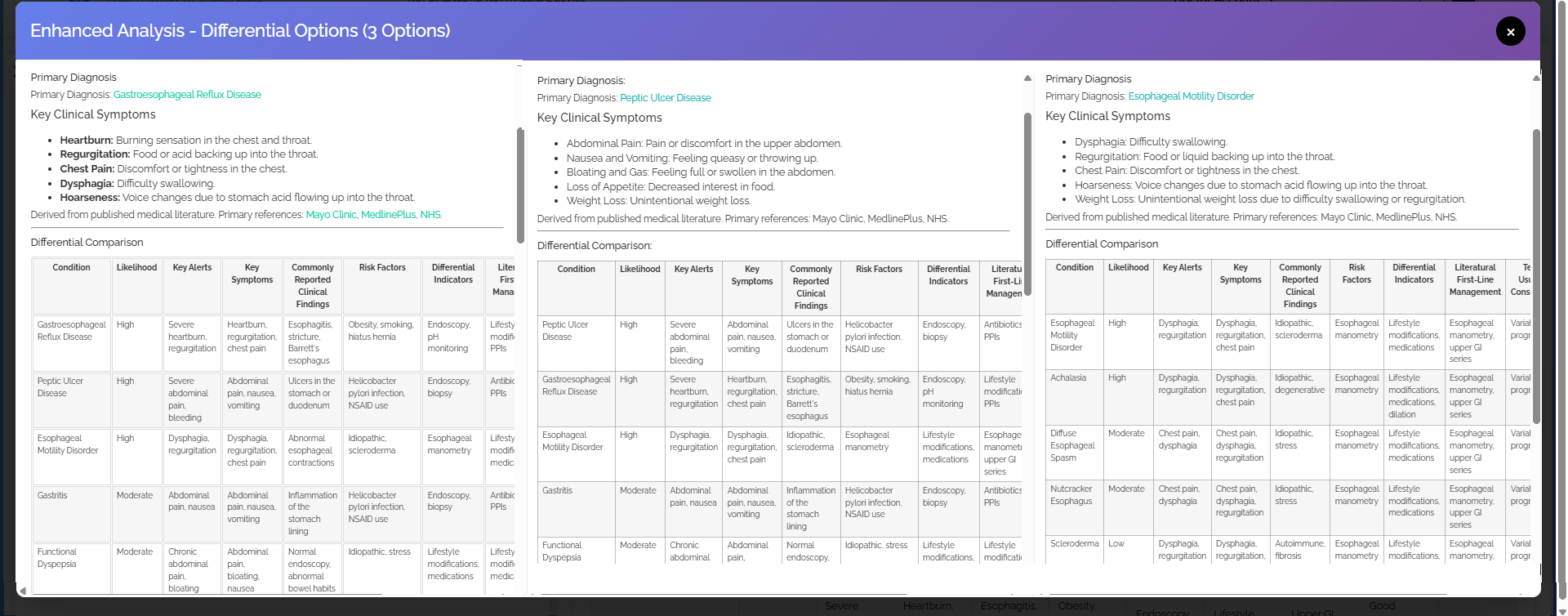
View 3 parallel reports side-by-side
Compare reports side by side and star your favorites.
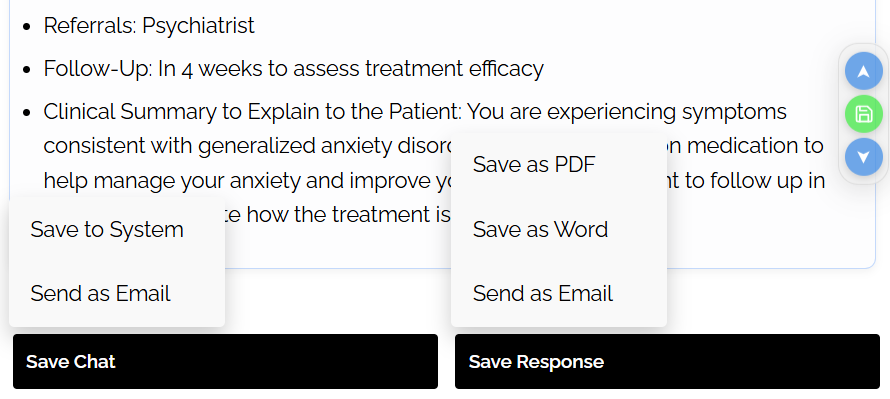
Every section is inline-editable and can be saved independently as PDF or Word.
We don’t store clinical information.
You save reports directly to your own device.
dictate or type the clinical picture — symptoms, vitals, history, current meds.
Standard generates full reports. Enhanced (⚡) generates three in parallel.
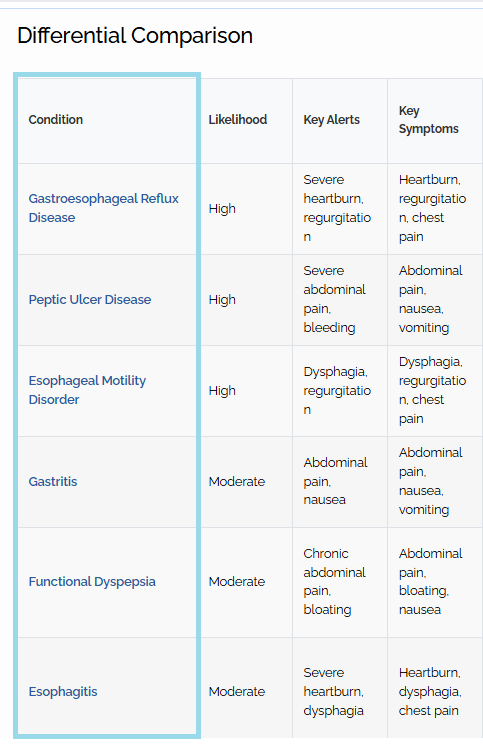
Click any condition — the report regenerates around that differential consideration.
Edit inline. Export sections or full report file to save documents. Star favorites.
The system organizes differential insights for clearer review
This interface provides a centralized dashboard for managing and reviewing AI-generated clinical responses in a structured format. Users can view detailed medical drafts, switch between generated responses, and maintain the currently selected version for further review or editing. The system displays patient clinical input alongside generated clinical reference information.
Helping healthcare professionals review clinical information efficiently. The side-by-side layout improves readability and comparison of different differential considerations within a single workspace
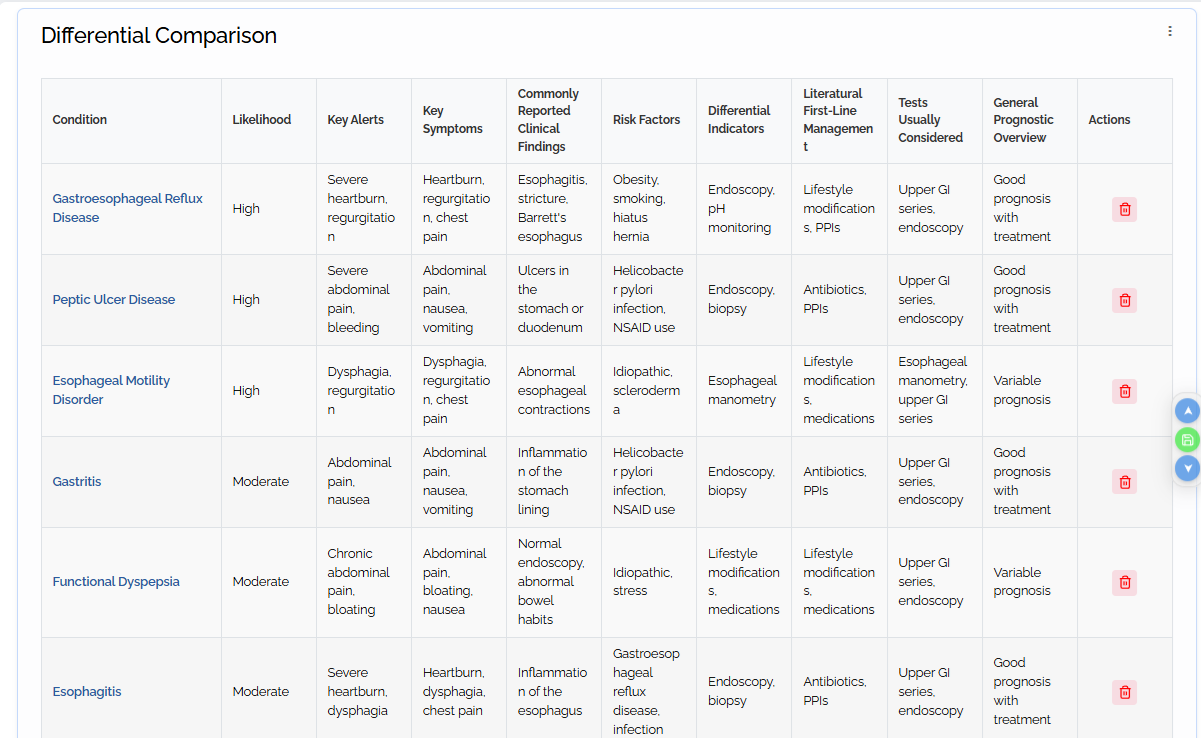
Every condition in the differential table is clickable. Select any condition you want to investigate and the entire 22-section report instantly regenerates around that differential consideration.
It’s a “what if” engine for clinical reasoning. Explore every plausible differential consideration with one click — each one produces a complete, fully structured report.
Enhanced mode goes further — generates 3 complete parallel reports for the top differentials simultaneously, so you can compare them side by side.
Start with the microphone. Speak the patient picture, let the system structure the case,
then review differential considerations, medication references, dosing references, laboratory considerations, and supporting research resources.
Stop carrying every dosage, timing rule, and medication update in your head. Reference it in seconds.
See likely conditions, supporting signals, and additional considerations for review in a format that supports clinical reasoning.
Medication references, laboratory considerations, and research-backed context — organized to support efficient clinical review.
Zero patient data stored. All clinical inputs are processed transiently and deleted within seconds. No PHI ever retained.
Every section has its own export menu. Save just the SOAP note. Just the referral letter. Or the whole report. As PDF or Word — your choice.
Every report from your session is saved. Switch between them, star your favorites, or delete what you don't need.
Star any report to save it to your Favorites panel. Access your best outputs instantly, any time.
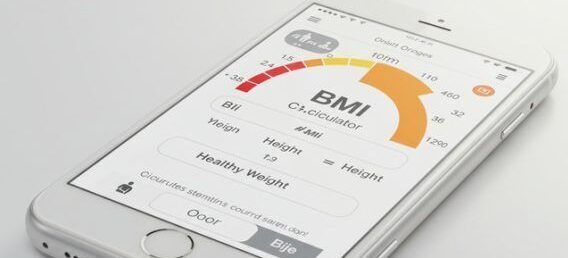
BMI Calculator and Unit Converter built right in — no switching tabs, no separate tools.
Learn the platform fully from within the app. Training resources always one click away.
All clinical inputs are processed transiently and deleted within seconds. No PHI ever stored.
Voice, text, audio file, video file, PDF, document upload or built-in case templates — your choice.
Everything physicians need to know before getting started.
Address practical concerns in plain language, support careful physician judgment, reduce friction in the workflow, and keep every final decision exactly where it belongs: with the physician.
DrMedGuide was built to reduce clinical mental overload.
Physicians are expected to manage differential considerations, medication references, dosing information, laboratory considerations, documentation requirements, guidelines, and constantly evolving medical knowledge while caring for patients.
DrMedGuide organizes this information into a structured clinical reference workspace in seconds, helping physicians spend less time searching across multiple resources and more time reviewing, evaluating, documenting, and caring for patients.
Instead of juggling multiple websites, references, calculators, and AI tools, physicians can review everything in one organized workspace designed specifically for clinical practice.

No.
DrMedGuide runs entirely through your web browser. There is no software to install, no downloads required, and no complicated setup process.
Simply sign in, upload your case information or dictate the clinical presentation, and DrMedGuide will organize differential considerations, medication references, documentation drafts, laboratory considerations, and supporting resources into one structured clinical reference workspace.
You can dictate as much clinical information as needed.
Symptoms, history, medications, vital signs, laboratory results, imaging findings, previous diagnoses, specialist notes, and clinical observations can all be included.
The more complete the clinical picture, the more comprehensive the generated clinical reference workspace becomes.
The Overview provides a concise clinical reference designed for rapid review.
The Structured Draft provides a more detailed clinical workspace that expands on differential considerations, medication references, documentation drafts, laboratory considerations, patient education materials, and supporting research resources.
Many physicians use the Overview for quick review and the Structured Draft when they want a more comprehensive reference.
Absolutely.
DrMedGuide is an informational clinical reference tool designed to support physician review and clinical reasoning.
It does not diagnose, prescribe treatment, or make decisions on behalf of physicians.
All information generated by the platform should be independently reviewed, verified, and applied using the physician's professional judgment.
The physician remains solely responsible for all clinical decisions.
Yes.
DrMedGuide works on desktop computers, laptops, tablets, and mobile devices through a standard web browser.
Many physicians prefer desktop use when reviewing larger reports, but the platform remains accessible from virtually any modern device.
Yes.
Have your telehealth conversation, upload the audio file, transcript, or clinical notes to DrMedGuide, and receive a structured clinical reference workspace in seconds.
DrMedGuide helps organize differential considerations, medication references, documentation drafts, laboratory considerations, and supporting research resources from a single case input.
The physician remains responsible for reviewing, verifying, and applying all information generated by the platform.
Use a case from your own practice and compare the generated clinical reference workspace with your own clinical reasoning.
Review 22 structured sections, differential considerations, medication references, laboratory considerations, documentation drafts, and supporting resources — all in one place.
No installation. No setup. Start reviewing immediately.
For licensed physicians and doctors only
DrMedGuide — AIP Innovations Inc.
Informational Research Tool Only • Not Diagnostic • Not Treatment • Zero Data Stored
© 2025 AIP Innovations Inc. · DrMedGuide — AI cognitive support and documentation drafting for licensed medical professionals.